
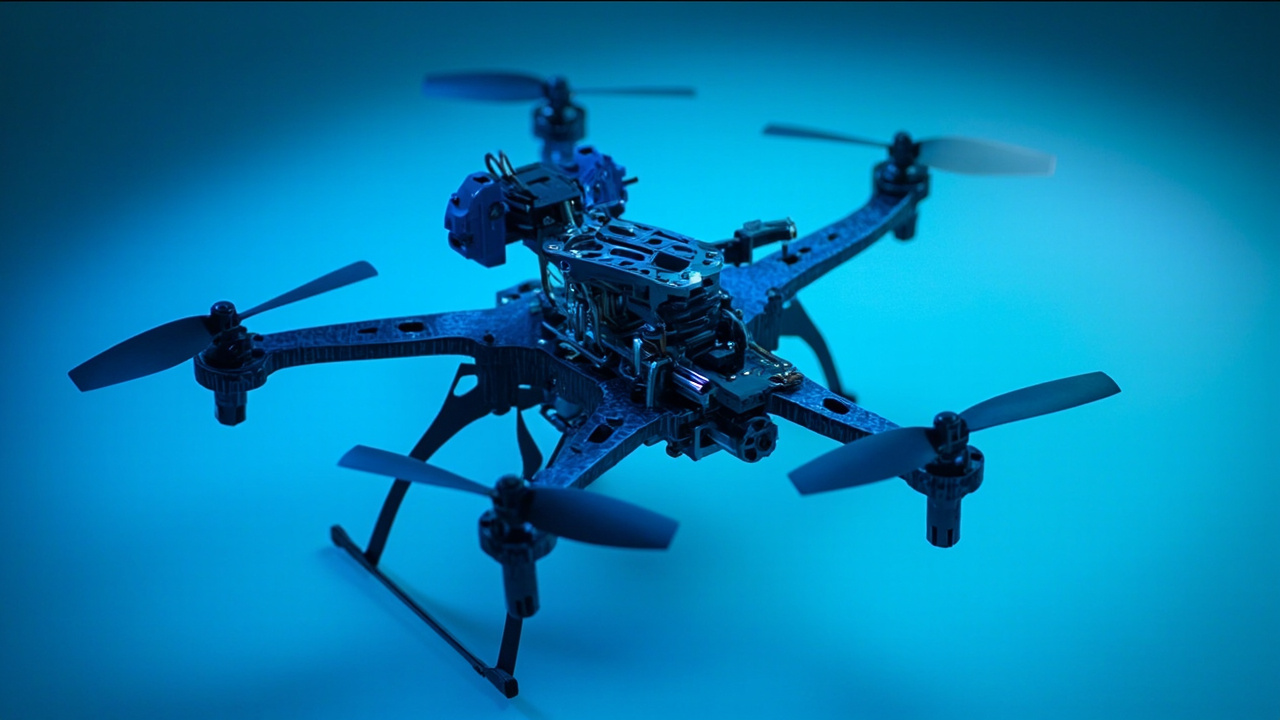
Why Your Drone Maintenance Schedule Can’t Be an Afterthought
Dronesera pilots fly everything from cinematic quadcopters to compact FPV rigs. The one habit every experienced operator shares: they treat maintenance as part of every flight day, not a weekend project they remember when something breaks.
DJI’s official maintenance guidance and MotionTech’s hardware best practices both point to the same conclusion — the majority of avoidable crashes stem from preventable mechanical or battery failure. A 10-minute pre-flight check catches what a 90-minute repair can’t fix.
Daily Drone Maintenance Checklist (Before Every Flight)
These checks take under 10 minutes and apply to every flight session, regardless of drone model.
- Visual prop inspection — Look for chips, cracks, delamination, or any asymmetry. Replace in pairs or sets if damage is found. Never fly a compromised prop.
- Arm and motor check — Confirm arms lock securely. Listen for abnormal motor grinding or resistance when spinning by hand.
- Gimbal gimbal clamp removal — If your drone ships with a gimbal clamp, ensure it’s removed before powering on. A locked gimbal under power causes motor strain.
- Battery charge level and physical condition — Check for swelling, casing cracks, or connector debris. Charge to your target level (typically 80–100% depending on mission requirements) and verify cells are balanced via your app or smart charger.
- Firmware sync — Open your flight app. If an update is available, install it before flying. Outdated firmware can introduce instability or disable features.
- SD card confirmation — Verify the SD card is inserted and has sufficient space. A missed shot because of a missing card is an easy fix.
- Compass and IMU calibration reminder — If you’re flying in a new location or after transport, recalibrate sensors before launch. Don’t assume yesterday’s calibration still applies.
Weekly Drone Maintenance Tasks
Once a week — or every 8–12 flight hours — run through these deeper checks:
- Full prop replacement cycle — Even if props appear undamaged, swap them if you’ve logged significant flight time. Prop material fatigues, especially on carbon fiber blades. Mark your install date.
- Firmware and app update review — DJI and other manufacturers release firmware updates regularly. Review release notes for safety-critical patches.
- Battery cycle check — For intelligent flight batteries, run a full charge/discharge cycle and check cell voltages in your app. Cells should stay within 0.1V of each other. Any wider deviation warrants retirement or service.
- Controller and accessory inspection — Check thumb sticks for play, buttons for responsiveness, and cable connectors for wear. Clean sticky residue from control surfaces with isopropyl alcohol.
- Airframe scan — Inspect the full airframe for loose screws, cracked mounts, or stressed joints. Tighten where needed. Pay close attention to landing gear and camera mount points.
- Camera and lens cleaning — Use a microfiber cloth and lens-safe cleaner on the sensor and glass. Dust on the sensor appears in every frame.
- Motor temp history review — If your app logs motor temperatures, review the last few flights. Consistently elevated temps can indicate bearing wear or debris in the motor bell.
Monthly and Seasonal Drone Maintenance Schedule
Every 30 days or 25–40 flight hours, perform these tasks regardless of visible wear:
Battery Rotation and Storage Audit
LiPo and Li-ion batteries are the most common failure point in consumer drones. Follow this protocol:
- Never store batteries fully charged or fully depleted for extended periods
- Store at 40–60% charge in a fireproof LiPo safe
- Cycle batteries monthly to keep cells active
- Replace any battery that shows permanent swelling, fails to reach full charge, or drops voltage significantly under load
IMU and Compass Full Calibration
Perform a full sensor calibration cycle in a clean outdoor space, away from metal structures and vehicles. If your app prompts you to calibrate or shows inconsistent home point behavior, calibrate immediately.
gimbal and Camera Assembly Deep Clean
Disassemble the gimbal protective ring and clear any accumulated debris around the gimbal pivot points. Apply gimbal-safe lubricant sparingly if movement feels stiff. Inspect the camera mount for any play.
Frame and Landing Gear Service
Check all fasteners with a proper driver — not just hand tightening. Inspect landing gear shock absorbers or landing pads for compression fatigue. Replace worn components before they cause a hard landing.
Propeller Torque Verification
Using a prop torque wrench, confirm each propnut or motor screw is seated to manufacturer spec. Vibration from a loose propnut damages motors and corrupts footage.
Annual Drone Maintenance Review
Once per year or every 200+ flight hours, conduct a full system overhaul:
- Full electronics check — Test all ESCs, motors, and power distribution boards for heat buildup or abnormal behavior under load
- Replace all props — Regardless of visual condition, replace all propellers annually. Composite materials have a finite fatigue life
- Service or replace gimbal — Professional cleaning and recalibration, or replacement of worn gimbals
- Controller recalibration — Run the manufacturer joystick calibration wizard and verify dead zones are within spec
- Full firmware audit — Confirm all firmware versions across drone, remote controller, and batteries are compatible and up to date
- Log review — Analyze flight logs for patterns: rising motor temps, irregular voltage dips, or excessive vibration that may not be visible to the naked eye
Key Takeaways for a Practical Drone Maintenance Schedule
- Daily pre-flight checks are non-negotiable — 10 minutes prevents most avoidable failures
- Weekly inspections catch prop fatigue and battery drift before they become incidents
- Monthly battery rotation and sensor calibration keep your flight data reliable and your hardware healthy
- Annual professional servicing is the baseline cost of safe, long-term operation
- Documentation matters — keep a flight log that includes flight hours, battery cycles, and maintenance dates. Patterns in your data reveal problems before symptoms appear
Final Word
Your drone is a precision flying machine. Like a light aircraft or high-performance vehicle, it rewards the pilot who treats maintenance as a discipline rather than an afterthought. Build this drone maintenance schedule into your routine, and you’ll fly further, longer, and with far fewer surprises.
Bookmark this checklist. Review it before every flight. And if something looks worn, doesn’t feel right, or reads abnormal in your app — ground the drone and service it before you fly. Safe flying is built on the ground, one checklist item at a time.
Sources: DJI official maintenance guidelines, MotionTech hardware standards.
Related guides
Drone Flight School: Best Training Programs 2026
What Drone Should I Buy in 2026? Complete Guide …
Best Drones 2026 Under $500: The Only Guide Beginners Need
Beyond the basics
Operators moving from the entry level into regular commercial work tend to hit a few practical edges that the standard guides skip. The notes below come from pilot reports and incident-review patterns — not press releases.
When to send the drone to a service center vs DIY fix
For propellers, batteries, landing gear, and gimbal protectors: always DIY. For IMU calibration errors after a hard landing, motherboard swaps after water exposure, or vision system failures: send to a DJI-authorized service center. Estimate $200-400 for motherboard replacement on consumer drones; $500+ for camera/gimbal module replacement. Check whether your drone is still under warranty before paying out of pocket — most consumer drones have a 1-year limited warranty.
Seasonal maintenance tasks most pilots forget
Winter: fully discharge batteries to 30-50% before long storage; cold-soak batteries for 30 min before flight to prevent voltage sag. Summer: check motor cooling vents for lint/debris after every 20 flights; never leave the drone in a hot car. Spring/Fall: do a full post-winter or pre-summer teardown — re-tighten all screws, replace propellers that took a hard landing, re-calibrate IMU and compass.
