
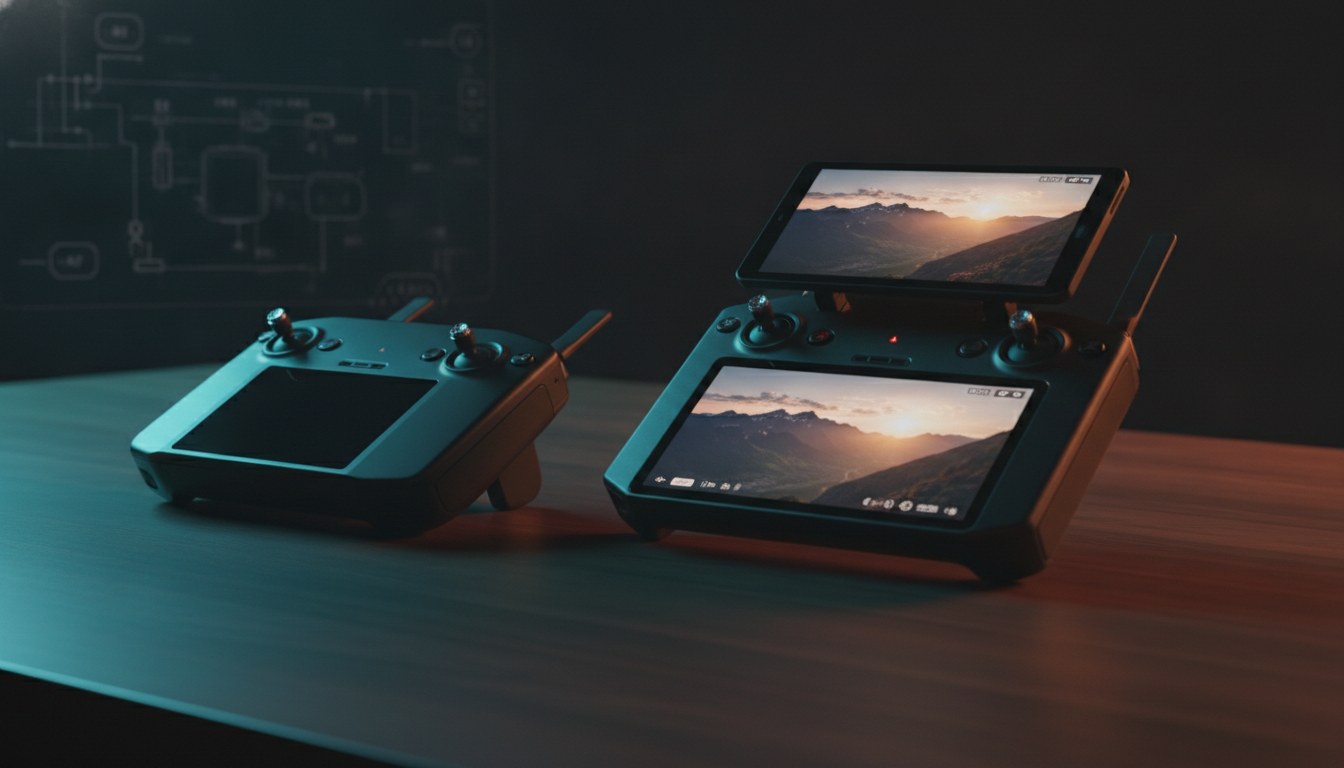
DJI sells two smart controllers that look superficially similar in 2026: the RC 2 at $369, and the RC Pro 2 at $1,179. That’s an $810 delta on hardware that, on paper, flies the same generation of drones. The price gap isn’t arbitrary, but it isn’t justified for most pilots either. The RC Pro 2 is a serious upgrade over the RC 2 — bigger screen, four-hour battery, HDMI out, a rotating display for vertical shooters — and if you fly a Mavic 4 Pro or run a content business, it earns its price. For everyone else, the RC 2 is the smarter buy. Here’s the actual use-case split.
The headline numbers, side by side
The table below is built from DJI’s published specs, not third-party hand-me-downs. Both controllers run on Android, both charge in 1.5 hours, and both have 2T4R antenna arrays. The differences are in the screen, the battery, the storage, the transmission, and the ports — and those differences map directly to what you do with the controller in the field.
| Spec | DJI RC 2 | DJI RC Pro 2 |
|---|---|---|
| Price (USD, official store) | $369 | $1,179 |
| Screen size | 5.5″ | 7.02″ |
| Resolution | 1920×1080 | 1920×1200 |
| Peak brightness | 700 nits | 2,000 nits (sustained 1,600) |
| Display tech | LCD | Mini-LED |
| Battery | 22.32 Wh (3.6V, 3,100 mAh × 2) | 44.64 Wh (7.2V, 3,100 mAh × 2) |
| Operating time | 3 hours | 4 hours |
| Charging | 9V/3A (27W) | PD 65W |
| Internal storage | 32 GB (~21 GB usable) | 128 GB (~100 GB usable) |
| microSD | Yes | Yes |
| Video transmission | O4 | O4 / O4+ |
| Antennas | 2T4R | Enterprise-Level Multibeam High-Gain, 2T4R |
| HDMI out | No | Yes (Mini-HDMI) |
| Built-in mic | No | Yes (DJI Mic Mini/2 pairing) |
| Rotating screen | No | Yes |
| Collapsible sticks | No | Yes (auto-deploy) |
| Sleep mode | No | Yes (~1% battery/hr) |
| Weight | 420 g | 750 g |
| GNSS | GPS + BeiDou + Galileo | GPS + BeiDou + Galileo |
| Operating temp | -10° to 40° C | -10° to 40° C |
Screen and outdoor visibility: where 2,000 nits actually pays off
The most visible difference between the two controllers — literally — is the screen. The RC 2’s 5.5-inch LCD panel peaks at 700 nits, which is enough for overcast flying, late-afternoon light, and shade work. In direct sun, particularly above snow, water, or pale concrete, you’ll find yourself cupping your hand over the screen to read the histogram and exposure tools. That’s not a fatal flaw — most pilots have been flying this way for years — but it is a workflow cost.
The RC Pro 2 ships a 7.02-inch mini-LED display rated at 2,000 nits peak and 1,600 nits sustained, per DJI’s official specs page. That’s roughly three times the brightness of the RC 2, and it pushes the controller into a brightness tier that competes with Apple’s iPad Pro and dedicated field monitors. Independent testers at Tom’s Guide confirmed the 2,000-nit rating under outdoor review conditions. The practical effect: in midday sun, the RC Pro 2’s image preview stays readable without shading. The RC 2’s becomes a mirror.
The RC Pro 2’s screen also rotates. When paired with a drone that supports vertical shooting — Mavic 4 Pro, Mini 4 Pro, Air 3 series — you can physically turn the display 90° into portrait mode, and the gimbal auto-syncs to capture vertical video. Drone Vortex tested the workflow and noted that the vertical preview on the RC 2 is squeezed into a small letterbox on the left third of the screen, which makes framing harder. For a creator shooting TikTok or YouTube Shorts, the rotating display alone can justify the price difference. For a Part 107 mapping pilot, it’s irrelevant.
If you fly mostly in golden hour, overcast, or shade, the RC 2’s screen is workable. If you shoot midday, on snow, on water, or you need a vertical-first workflow, the RC Pro 2’s display is the only one that gets out of the way. The trade-offs here also feed straight into how you read exposure on the drone photography settings guide — a brighter monitor is a faster histogram, and a faster histogram is fewer blown highlights.

Battery, charging, and all-day field use
Both controllers run on a pair of 18650 lithium-ion cells, but the RC Pro 2 doubles the voltage and nearly doubles the energy. The RC 2 carries 22.32 Wh; the RC Pro 2 carries 44.64 Wh. DJI rates the RC 2 at three hours of operating time and the RC Pro 2 at four hours, both tested in a 25° C lab with the controller connected to an Air 3 (RC 2) or a Mavic 4 Pro (RC Pro 2) at 1080p/60 fps recording, per the respective RC 2 and RC Pro 2 specs pages.
In the field, those numbers are a best case. Real-world operating time drops with screen brightness at maximum, cold weather, and continuous gimbal + focus pulling. The RC Pro 2’s two extra watt-hours don’t just buy an extra hour of spec-sheet runtime — they buy headroom. Pilots running long commercial shoots, mapping missions, or inspection jobs benefit from the larger battery because they don’t have to break for a recharge mid-flight. The 1% per-hour sleep-mode draw (a feature absent on the RC 2) means you can leave the RC Pro 2 in a pack overnight and not come back to a dead controller.
Charging is also different. The RC 2 accepts up to 9V/3A (27W); the RC Pro 2 supports USB Power Delivery up to 65W, according to DJI’s RC Pro 2 specs. A 65W PD charger fills the larger battery in 1.5 hours, which is the same as the smaller-battery RC 2. If you already carry a 65W GaN charger for a laptop, the RC Pro 2 slots into your existing kit. The RC 2 charges off the same USB-C cable but at a lower wattage.
If you’re flying one or two short missions a week, the RC 2’s battery is enough. If you’re flying three or more missions in a day, in the cold, or far from a power outlet, the RC Pro 2’s extra watt-hours and faster charging start to matter. Either controller still needs the same battery-care discipline as the drone it flies — our drone battery life extension guide covers the storage and discharge habits that keep both the controller and the airframe healthy.
O4 vs O4+ video transmission: real range, real interference
The RC 2 ships with O4 — DJI’s fourth-generation OcuSync — using a 2T4R antenna layout on the 2.4 GHz, 5.1 GHz, and 5.8 GHz bands, with EIRP values ranging from 14 to 33 dBm depending on region and band. The RC Pro 2 ships with O4 and O4+, where O4+ is the enhanced variant that activates when the controller pairs with a Mavic 4 Pro. On older O4 drones — Air 3, Air 3S, Mini 4 Pro, Neo — the RC Pro 2 falls back to plain O4. The Mavic 4 Pro is currently the only drone in DJI’s consumer line that triggers O4+.
The transmission spec is also paired with the antenna. The RC Pro 2 carries what DJI calls “Enterprise-Level Multibeam High-Gain Antennas” — a beefier array than the RC 2’s 2T4R. Drone Vortex reported that the RC Pro 2’s O4+ signal is more stable in dense urban environments and around obstacles, with fewer dropouts than the RC 2. Maison du Drone reached a similar conclusion in their comparison: for the same drone, the RC Pro 2 holds a cleaner feed at long range.
For pilots flying in open rural airspace with line of sight, both controllers perform adequately. The O4+ advantage shows up when you’re flying in suburban or urban settings, near Wi-Fi routers, cell towers, or industrial RF sources. The O4+ upgrade is also forward-looking: as DJI rolls O4+ to more drone lines over 2026 and 2027, RC Pro 2 owners will be ready, while RC 2 owners will not. If you’re already losing signal on routine flights, our drone range problems diagnostic walks through the most common O4 interference causes and the fixes that don’t require new hardware.
Ergonomics, weight, and travel trade-offs
The RC 2 weighs 420 grams; the RC Pro 2 weighs 750 grams. That’s 78% heavier, and it adds up over a long day in the field. The RC 2 also has a smaller footprint: 168.4 × 132.5 × 46.2 mm without control sticks, versus the RC Pro 2’s 182 × 139 × 61 mm folded. The RC Pro 2’s extra size is justified by the 7-inch screen, the larger battery, and the rotating hinge — but it is, in real terms, a bigger and heavier thing to carry in a pack.
The RC Pro 2 wins back some of that size penalty with a clever mechanical design: collapsible control sticks that pop out automatically when you lift the screen, and a sleep mode that triggers when you fold the screen back down. The RC 2 still uses the older design where you have to unscrew the joysticks from the bottom of the controller, install them, and stow them after each flight. The RC Pro 2’s auto-deploy sticks are a small ergonomic win that compounds over hundreds of flights, and they reduce the wear-and-tear issue of removable stick threads — a real complaint among RC 2 users.
If you travel with your drone kit — backpacking, airline overhead bins, long walks to launch sites — the RC 2’s smaller size and lighter weight are a meaningful advantage. If you mostly drive to a launch site and don’t mind the extra mass, the RC Pro 2’s ergonomics and collapsible design are an upgrade. The travel-vs-stationary split is similar to the drone-selection logic we cover in the best travel drones guide — every gram of carry weight compounds over a trip.
Compatibility: which drones each controller actually flies
This is where the use-case split gets sharp. The RC 2 is compatible with DJI’s O4-generation drones: Air 3, Air 3S, Mini 4 Pro, Flip, and Neo. It cannot fly the Mavic 4 Pro, which requires O4+.
The RC Pro 2 is compatible with a wider list: Mavic 4 Pro, Mini 5 Pro, Mini 4 Pro, Air 3S, and Air 3. That’s future-leaning (the Mini 5 Pro is on the list) and includes the higher-end Mavic 4 Pro that the RC 2 cannot fly. As of mid-2026, the RC 2 will fly everything in DJI’s consumer lineup except the Mavic 4 Pro. The RC Pro 2 will fly the Mavic 4 Pro, but the O4+ features only activate on that drone — on Mini 4 Pro and Air 3, the RC Pro 2 falls back to plain O4.
If you own or are about to buy a Mini 4 Pro, Air 3, Air 3S, Flip, or Neo, the RC 2 is enough. If you own or are about to buy a Mavic 4 Pro, the RC Pro 2 is the only current option. If your fleet is mixed, the RC Pro 2 covers everything. For a deeper look at the Mavic 4 Pro as an airframe, our Mavic 4 Pro review covers the camera and flight-time trade-offs that drive the controller choice. The Mini 4 Pro and Air 3 side of the equation is also covered in our DJI drone buying guide.
Pro features the RC Pro 2 has that the RC 2 doesn’t
Beyond the headline specs, the RC Pro 2 includes features that show up in specific workflows:
- Mini-HDMI output for live monitoring on a larger display, useful for client review on set, FPV ground-station setups, and live-streamed inspection work.
- trong>Built-in microphone with DJI Mic Mini and Mic 2 pairing for direct audio capture from the operator without a separate recording chain. Per Heliguy’s review, this is a meaningful workflow improvement for solo creators who need on-camera audio without a separate recorder.
- trong>128 GB internal storage for direct screen recording and cache; the RC 2 carries 32 GB (~21 GB usable).
- trong>Rotating screen for vertical shooting, as covered above.
- trong>Dynamic homepoint — the RC Pro 2 can update the drone’s return-to-home location to follow the controller as the operator moves, which is useful for tracking shots, mobile bases, and boat launches. The RC 2 requires manual homepoint updates.
- trong>DJI Flight Simulator support and third-party app install on the Android-based OS. The RC 2 also runs Android but is more restricted in the apps it allows.
- trong>10-bit HDR video preview on the mini-LED display, which makes exposure and color decisions easier when shooting HLG or D-Log M footage.
If you don’t need any of those, you’re paying for capacity you won’t use.

Who should buy the RC 2, who should buy the RC Pro 2
Buy the RC 2 if:
- You fly Mini 4 Pro, Air 3, Air 3S, Flip, or Neo.
- u mostly shoot in overcast, golden hour, or shaded conditions.
- u travel with your kit and care about the 420 g weight and compact footprint.
- u run one or two flights per session and can recharge between them.
- u don’t need vertical-shooting workflows, HDMI out, or DJI Mic pairing.
Buy the RC Pro 2 if:
- You fly or are buying a Mavic 4 Pro — it’s the only consumer option.
- u shoot a lot of vertical content for TikTok, Reels, or YouTube Shorts.
- u need an all-day battery for commercial mapping, inspection, or cinema work.
- u fly in dense RF environments (urban, suburban, industrial) where O4+ signal stability matters.
- u want the larger 128 GB internal storage for direct screen recording and cache.
- u use the Mini-HDMI output for client monitoring or live streaming.
The $810 delta is real money. It’s also a real feature gap if you need even one of the items on the second list. For Part 107 mapping pilots running a Mini 4 Pro or Air 3 fleet, the RC 2 is the rational choice. For Mavic 4 Pro owners and content creators running a vertical-first workflow, the RC Pro 2 is the only one that fits. The pilot workflow that benefits most from the RC Pro 2’s screen and battery is the same one we walk through in the smooth cinematic drone footage guide — long days, repeated takes, and enough screen real estate to nail focus pulls.
FAQ
Is the DJI RC 2 compatible with the Mavic 4 Pro? No. The Mavic 4 Pro uses the O4+ transmission standard, and the RC 2 is O4-only. To fly a Mavic 4 Pro, you need the RC Pro 2 or a future O4+ controller.
Can the RC Pro 2 be used with the Mini 4 Pro and Air 3? Yes. The RC Pro 2 is backward-compatible with the Mini 4 Pro, Air 3, and Air 3S, but on those drones the transmission falls back to O4 — the O4+ features only activate with the Mavic 4 Pro.
Does the RC Pro 2 have an HDMI output? Yes. The RC Pro 2 includes a Mini-HDMI port for live monitoring on an external display. The RC 2 does not have an HDMI output.
How long does the RC Pro 2 battery last compared to the RC 2? DJI rates the RC Pro 2 at four hours of operating time and the RC 2 at three hours, both under controlled lab conditions. The RC Pro 2 also supports a sleep mode that draws about 1% of battery per hour, which the RC 2 lacks.
Is the RC Pro 2 worth the extra money over the RC 2? If you fly a Mavic 4 Pro, run a vertical-first content workflow, or need all-day battery and HDMI output, yes. If you fly Mini 4 Pro, Air 3, Air 3S, Flip, or Neo in standard lighting, the RC 2 is the more cost-effective choice.
Sources
- DJI RC 2 — Specs (official)
- href=”https://www.dji.com/rc-pro-2/specs” rel=”noopener” target=”_blank”>DJI RC Pro 2 — Specs (official)
- href=”https://store.dji.com/product/dji-rc-2″ rel=”noopener” target=”_blank”>DJI Store — DJI RC 2 product page
- href=”https://www.heliguy.com/blogs/posts/dji-rc-pro-2-review/” rel=”noopener” target=”_blank”>Heliguy — DJI RC Pro 2 Review
- href=”https://thedronevortex.com/dji-rc-pro-2-vs-rc-2-best-drone-controller/” rel=”noopener” target=”_blank”>Drone Vortex — DJI RC Pro 2 vs RC 2
- href=”https://www.maisondudrone.com/en/dji-rc-pro-2-vs-rc-2-which-remote-control-to-choose/” rel=”noopener” target=”_blank”>Maison du Drone — DJI RC Pro 2 vs RC 2 comparison
- href=”https://www.tomsguide.com/cameras-photography/drones/i-just-tested-the-new-dji-rc-pro-2-drone-controller-and-its-a-beast-for-content-creation-on-the-fly” rel=”noopener” target=”_blank”>Tom’s Guide — DJI RC Pro 2 hands-on
- href=”https://www.droneblog.com/dji-rc-vs-dji-rc-2/” rel=”noopener” target=”_blank”>Droneblog — DJI RC vs DJI RC 2